For business owners
Build a premium website for your business with AI, set up properly for Google.
Pick one of three designs made for your business. Claude builds it, then the kit's checks make sure every page is set up the way Google expects. No designer, no code.
One-off payment. Needs a paid Claude plan (Pro, about £18 a month; check the current price). Mac or Windows.
The problem
The trouble with “just ask AI to build it”
- AI sites all look the same. Ask an AI for a website and you get the same layout everyone else got.
- Nobody checks what Google sees. Titles, business details, links between pages, a sitemap: easy to miss, and the AI rarely mentions them.
- It invents things. Reviews, years in business, guarantees. On your site, with your name on it.
SmartSite Kit fixes all three: designs made from your business, a set of checks for what Google needs, and one rule above all: nothing goes on the site that isn't true.
How it works
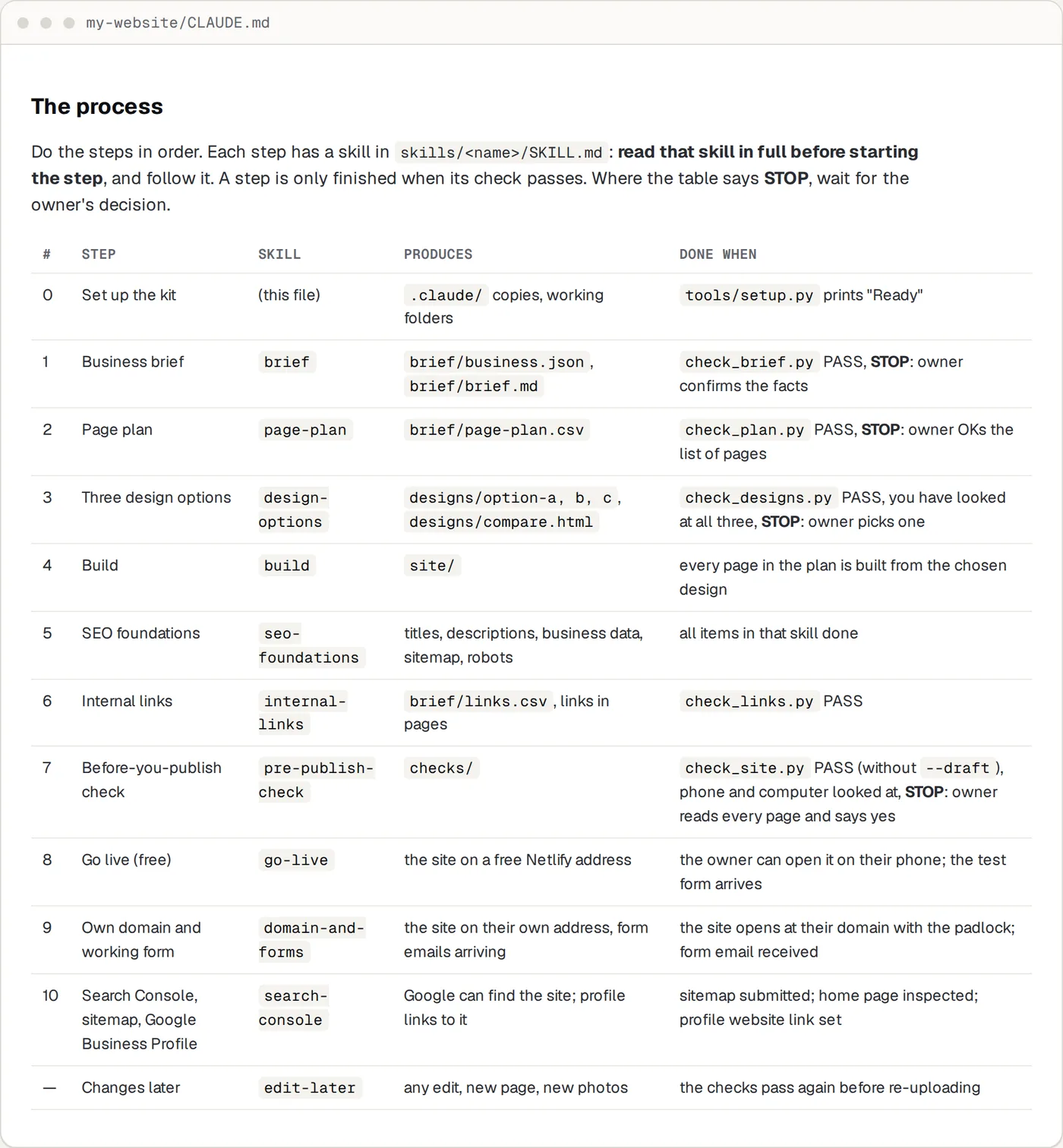
Six steps, one at a time
You chat with Claude in plain English. The kit tells it exactly what to do at each step, and it stops for your decision at the important ones.
-
1
Your brief
Claude asks about your business in small batches: services, areas, real reviews, the look you want. Nothing is made up; gaps stay as questions.
 Made-up example business
-
2
Three designs
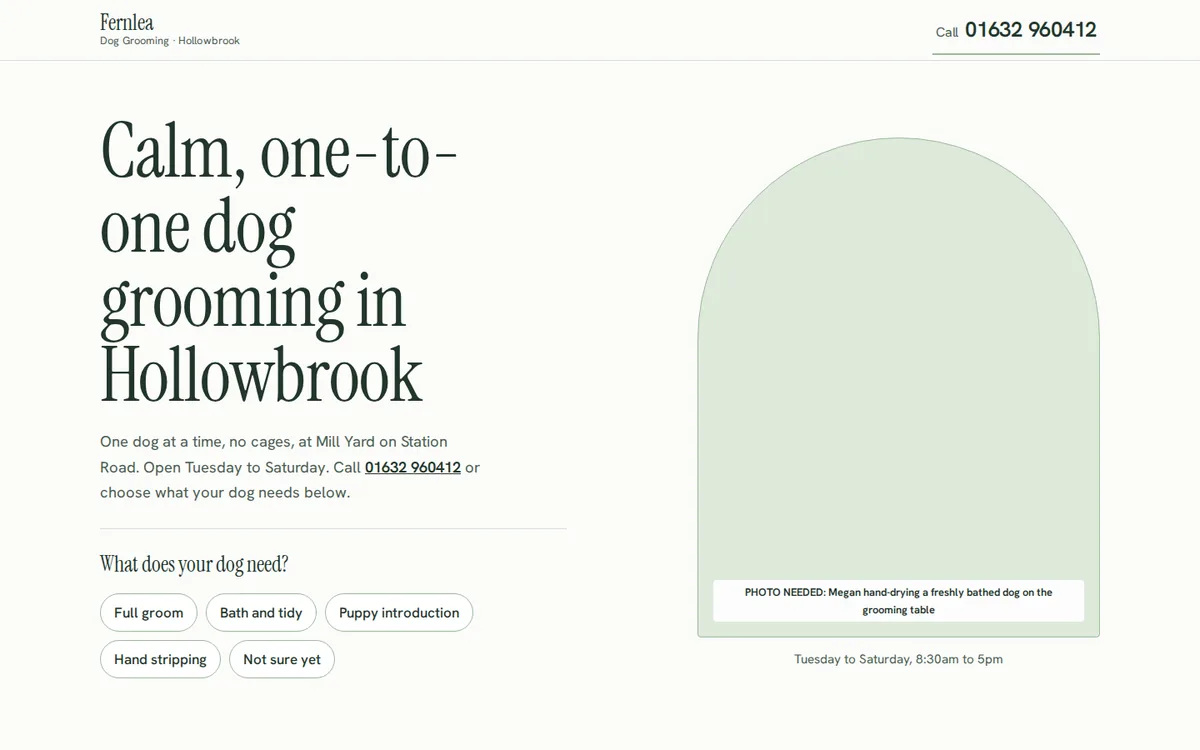
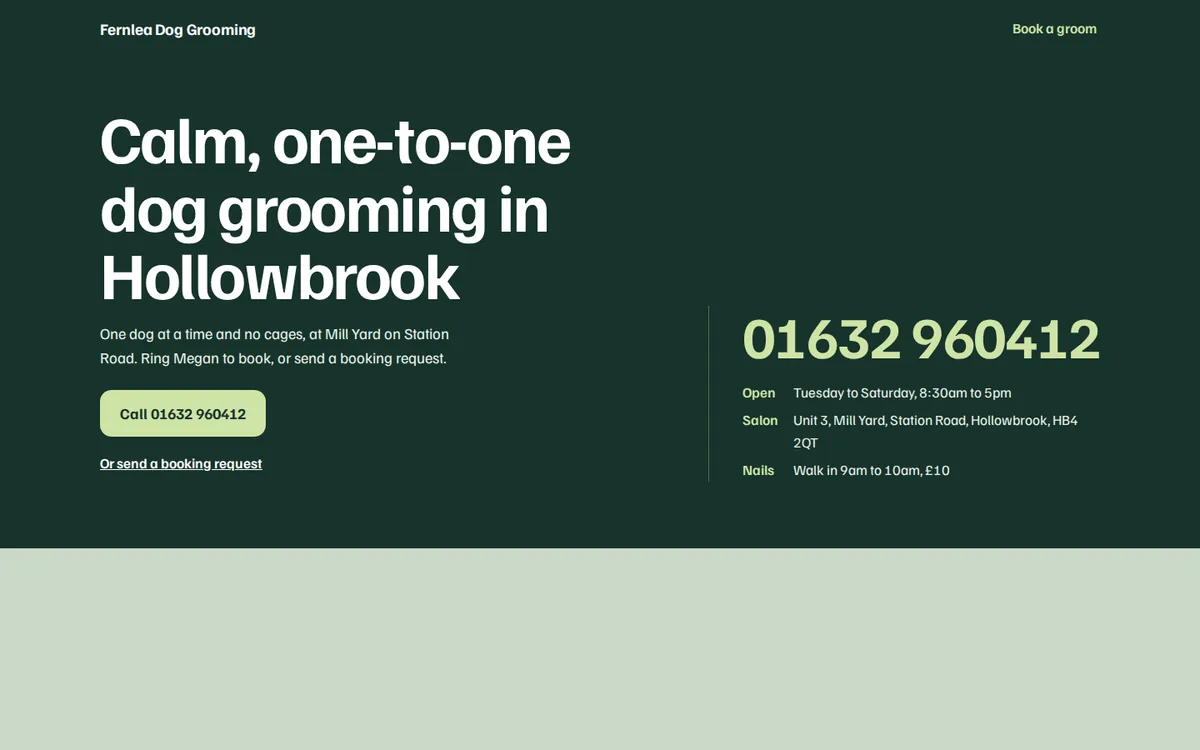
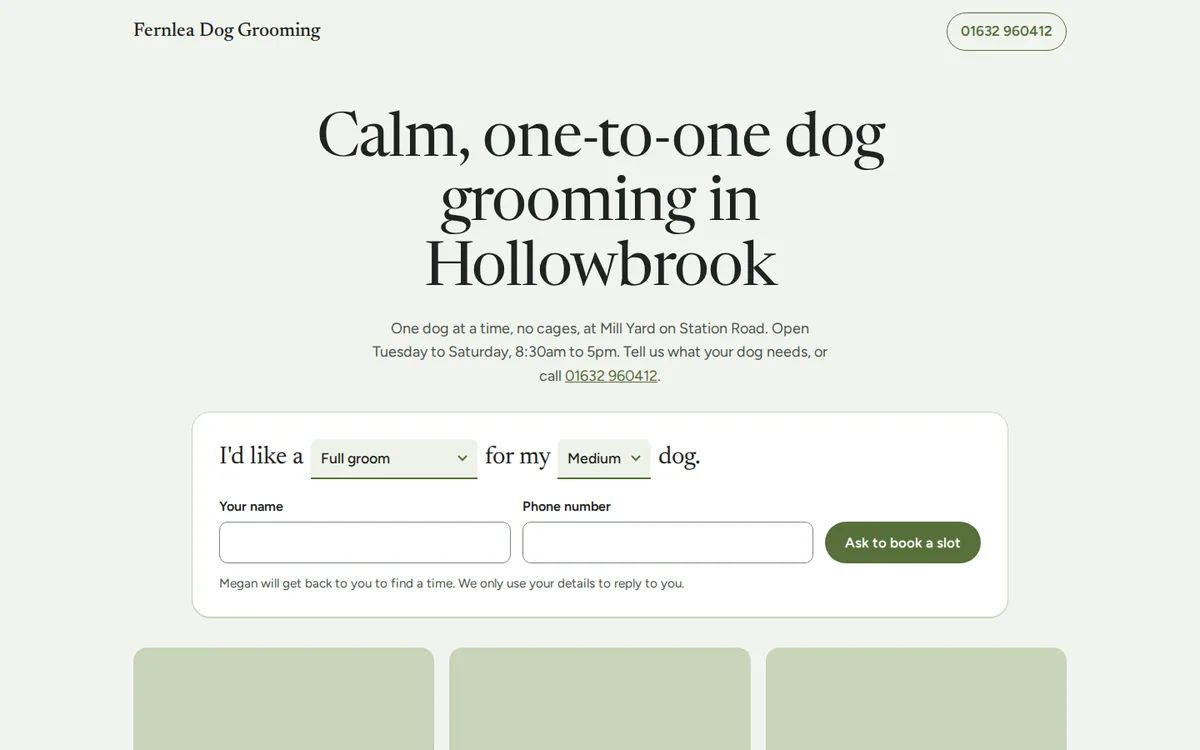
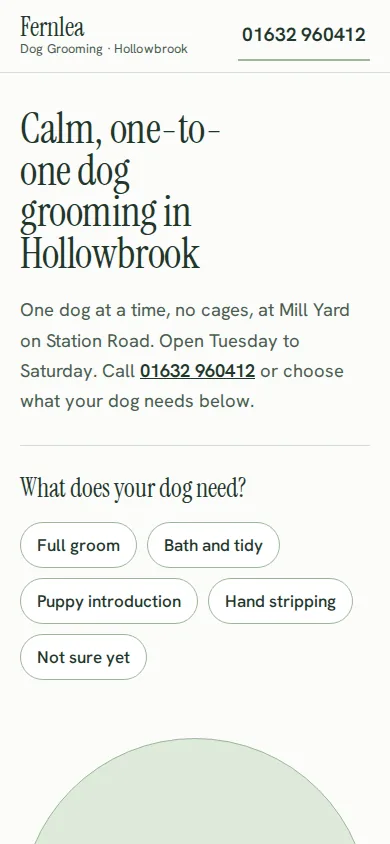
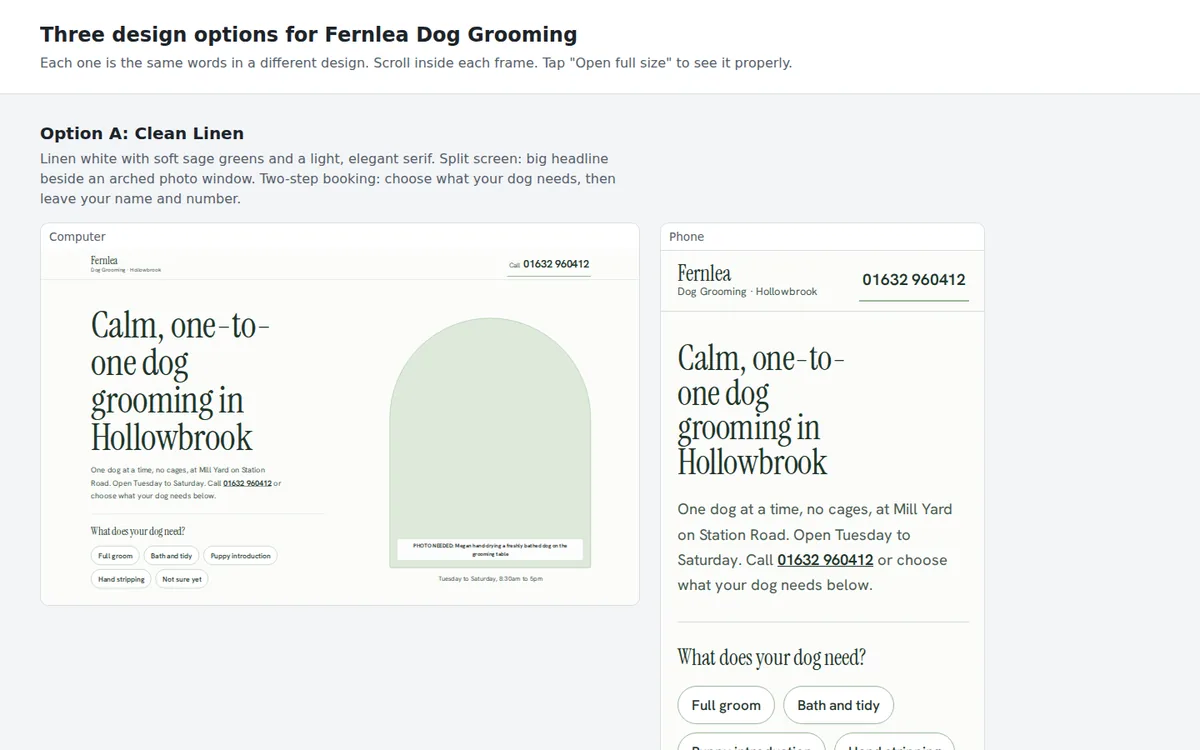
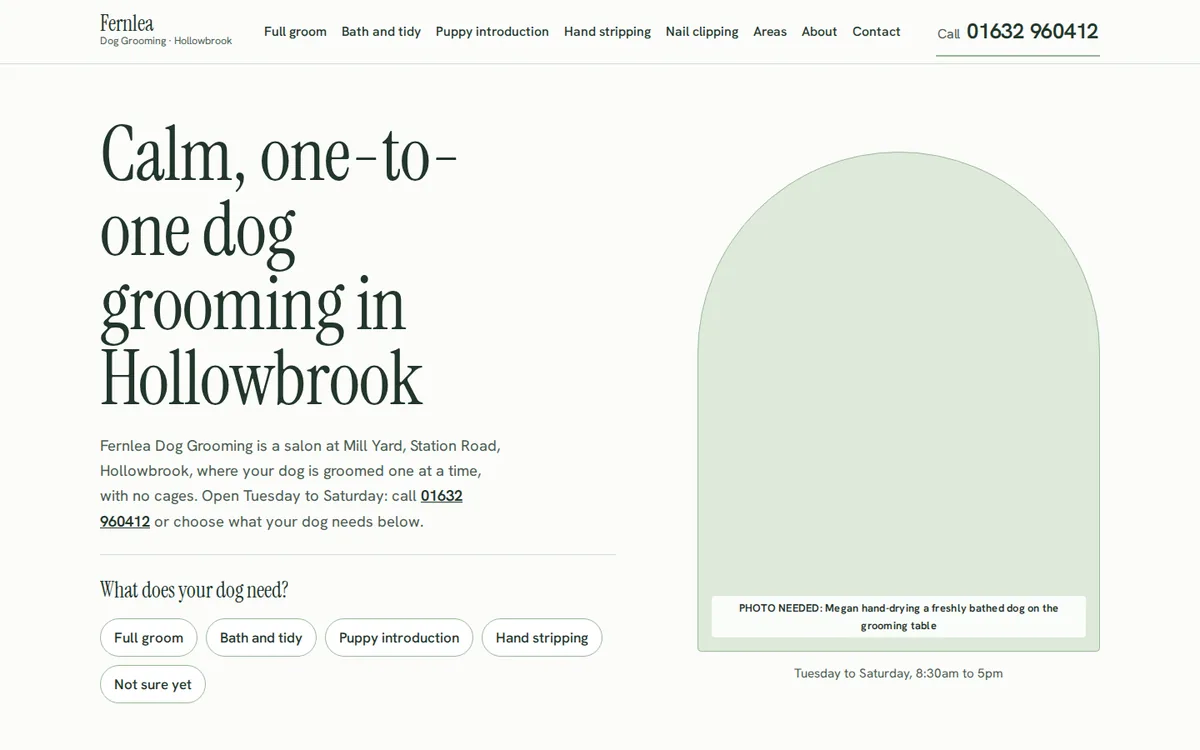
Three genuinely different homepage designs for your business, with your real words and phone number, side by side on a phone and a computer. You pick one.
-
3
Build
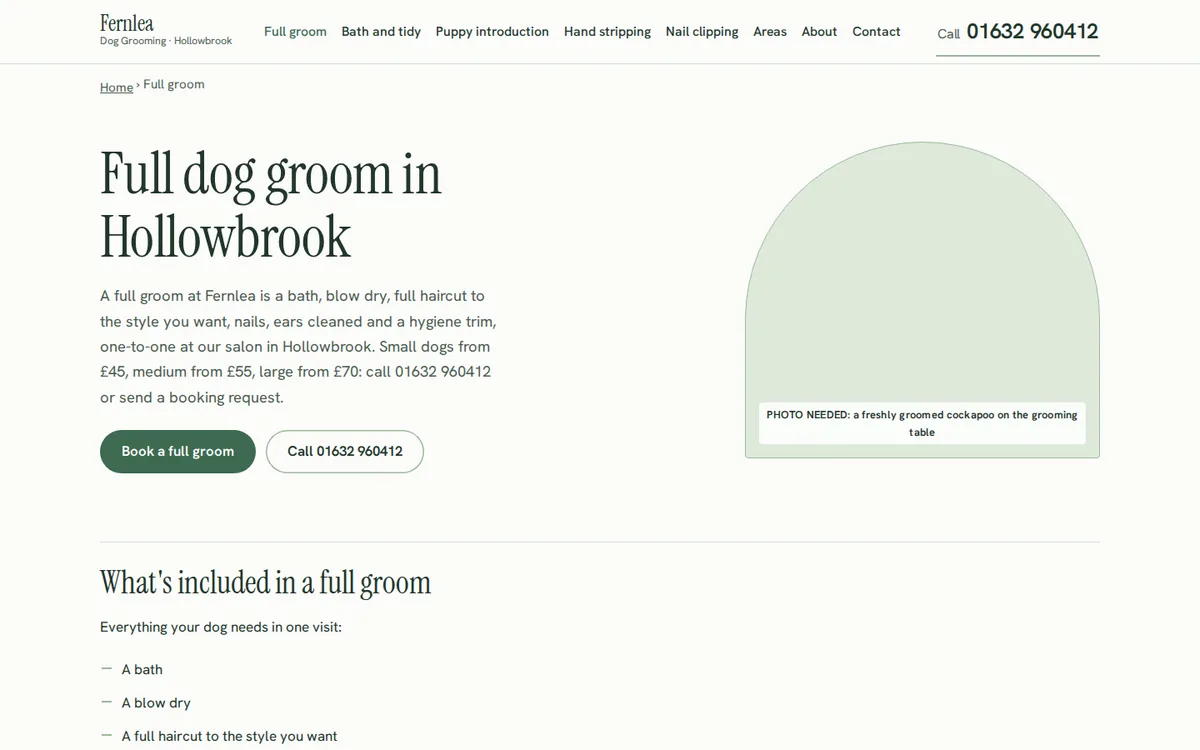
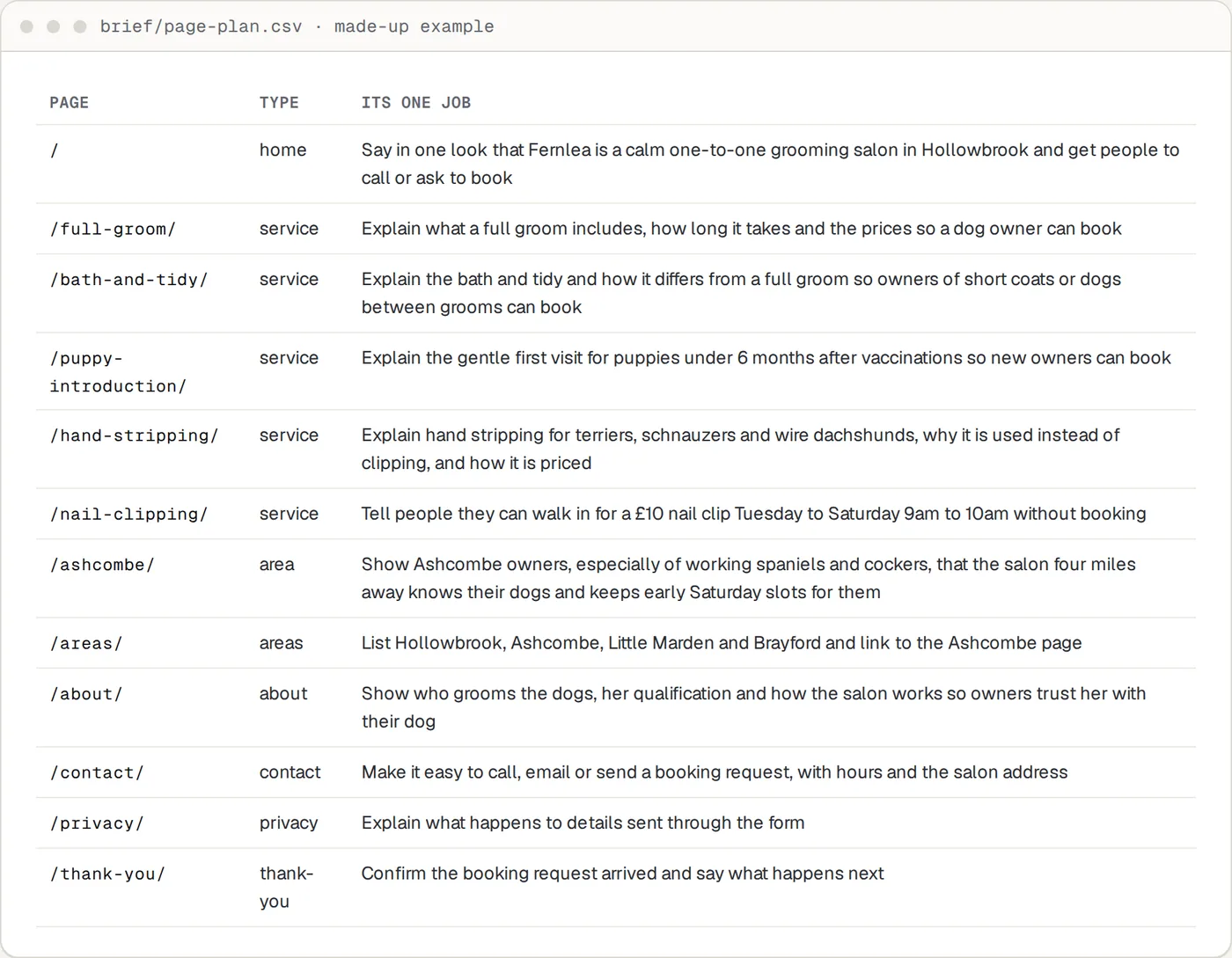
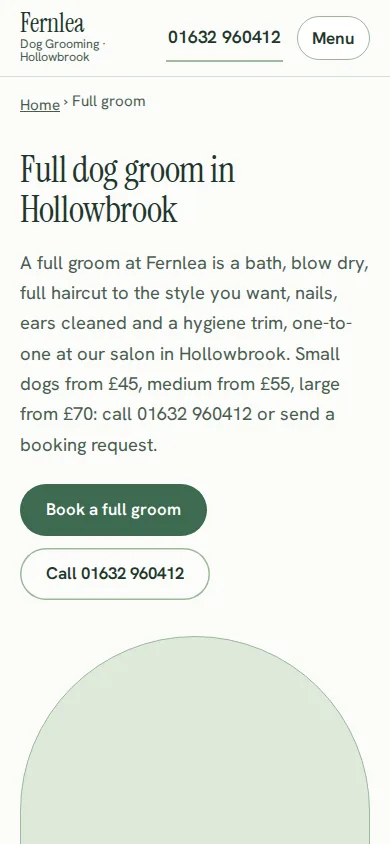
Every page in your plan: one per service, one per area where you have real work to show, plus about, contact and privacy. Plain, fast pages you own.
-
4
SEO foundations
Titles, descriptions, business details Google can read, sensible links between pages, a sitemap, and answer-first sections for AI search.
 Made-up example business
-
5
Before-you-publish check
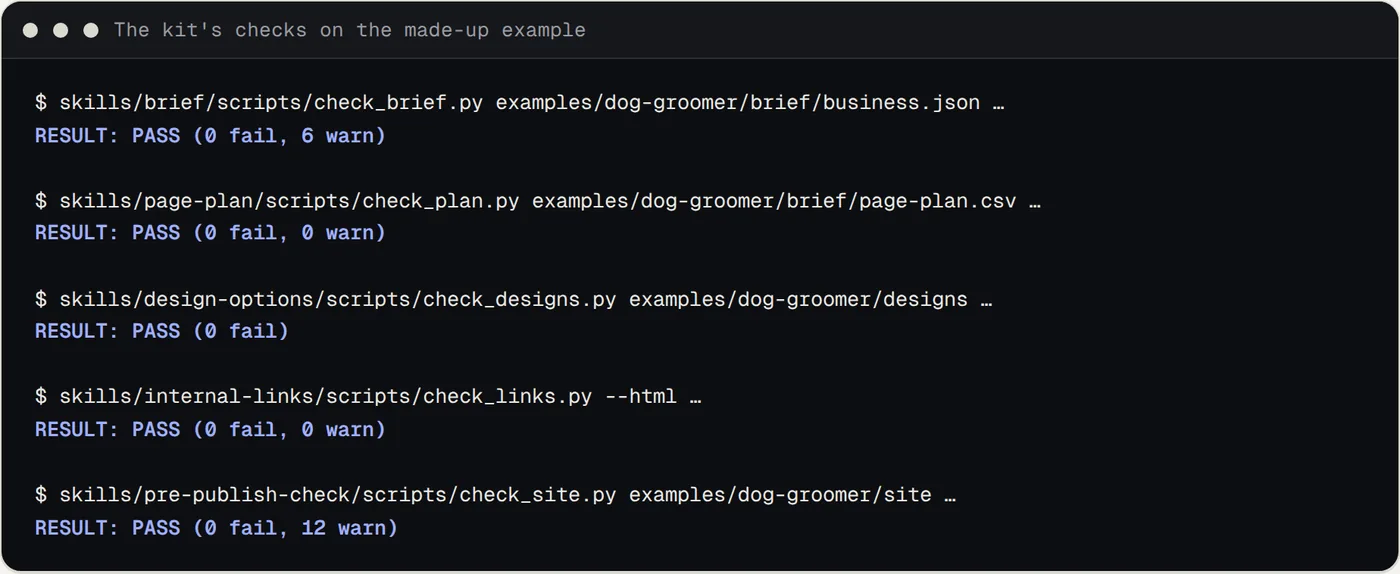
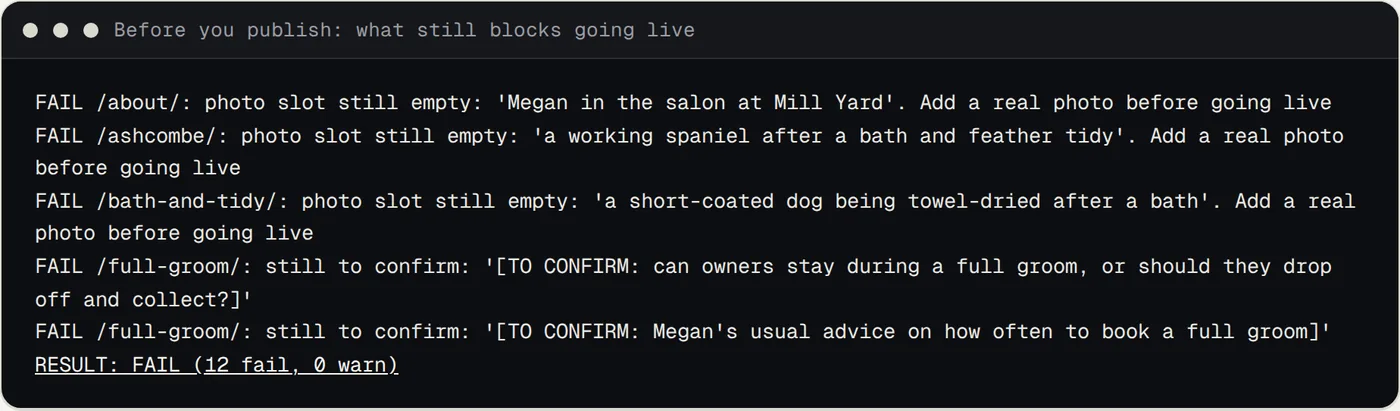
Checks every page: the basics Google needs, your details, the form, the wording, phone layout. It won't pass with placeholders left in.
 Made-up example business
-
6
Go live
Free hosting on Netlify, your own domain, a working enquiry form, Google Search Console, and your Google Business Profile linked.
What's inside
Everything in one download
-
A real worked example
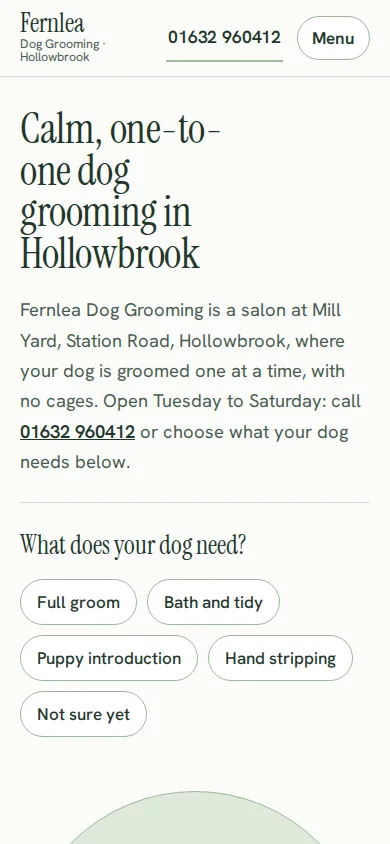
A made-up dog groomer, taken from brief to finished site by following the kit: the three designs, the chosen one built out, and every check.
Start-here guide
Setup on Mac or Windows from zero, every step with what you'll see, and a big “Stuck?” section of common errors and fixes.
11 step-by-step skills
Brief, page plan, three designs, build, SEO foundations, internal links, before-you-publish check, go live, domain and form, Search Console, editing later.
3 helpers
A designer, a builder and a checker, so your pages are checked by something other than what built them.
Ready-made prompts
Copy, paste, press Enter. For every step, plus fixes when something goes wrong.
Templates and checklists
Business details form, page-plan sheet, before-you-publish, go-live, domain, Google and monthly checklists.
Two worked examples
Made-up businesses, filled in from brief to finished site, so you can see what good looks like.
-
It won't let you publish placeholders
The draft check passes on the example. The real check still refuses to go live until the photo spaces have real photos and the owner has answered four questions. That's the point: nothing invented goes live.
Built to be found
Set up the way Google expects, with sound methods only
No tricks. These are the basics Google's own guidance asks for, done properly and checked on every page.
What the kit sets up
- One page per service you really offer
- A page for an area only where you have real work there
- A unique title, description and main heading on every page
- Your business details in the format Google reads, matching your Google profile
- Links between your pages that make sense to a customer
- A sitemap, Google Search Console and Bing set up
- Answer-first sections that AI assistants can quote accurately
- Phone-first design, fast plain pages, accessible forms
What it won't do
- Promise a position in Google, enquiries or customers
- Churn out a page for every town
- Fake reviews or star ratings
- Hidden text, keyword stuffing or link schemes
Proof
These are the same steps we use when we build websites
Real Google Search Console figures, dated, with names hidden. Clicks are shown next to impressions, and nothing here is about sales or enquiries.
-
One of our own websites
On one of our own websites, a rendering business, Google Search Console impressions went from 2,646 in September to 22,707 in the first 20 days of November, and clicks went from 9 to 68.
Same SEO foundations: a page for each service, clear titles, business details Google can read, internal links and Search Console. It was built with a different tool, not this kit, and much of that growth came from a large set of town pages, which this kit deliberately doesn't make. Search figures only; no enquiry figures.
Google Search Console, Sep 2026 vs 1–20 Nov 2026
-
An online shop (WooCommerce)
Google search clicks from 1 October to 20 November 2026 were up 17% on the same dates in 2025, and search impressions were up 48%. In the first 20 days of November, clicks were up 45%.
Search clicks and impressions only, not sales. The business made other changes in the same period too, so this shows what happened during the SEO work, not that it was the only cause.
Google Search Console, 1 Oct–20 Nov 2026 vs the same dates in 2025
-
A brand-new local business site
A brand-new 10-page site showing in Google search within a week of launch.
Built with the method this kit is based on. It's too new to show results yet; this is about the site being set up so Google can find and read its pages.
Launched 6 Nov 2026; Google Search Console from 10 Nov 2026
Your results depend on your business, area and competition.
Price
£49 one-off
Everything in one download:
- The start-here guide, setup on Mac and Windows from zero
- 11 step-by-step skills, 3 helpers, ready-made prompts
- Page-plan sheet, business details form and checklists
- Two worked examples, from brief to finished site
- The “Doing this for clients” add-on: client brief form, design sign-off, handover checklist
Stuck? We'll help you get it working.
Email us and we'll help you sort it. Refunds are case by case: yes if the download failed or we couldn't fix the problem, no for a change of mind. Refund policy.
You'll also need a paid Claude plan (Pro or higher), paid to Anthropic. Hosting on Netlify's free plan and Google's tools are free. A domain is optional, usually about £10–£15 a year.
Questions
Before you buy
Do I need to know how to code?
No. You chat with Claude in plain English and it does the building. You answer questions, look at designs and click a few buttons on websites like Netlify and Google.
What do I need?
A Mac or Windows computer and a paid Claude plan that includes Claude Code (Claude Pro or higher; about £18 a month at the time of writing, so check the current price on claude.com). Hosting on Netlify's free plan, Google's tools and Python are free. Your own domain is optional, usually about £10–£15 a year.
Does it work with ChatGPT or other AI tools?
The kit is built and tested for one setup: Claude, in the Claude desktop app.
Will it get me to the top of Google?
Nobody can promise that, and we don't. The kit builds your site the way Google expects, so you're not held back by the basics. Your results depend on your business, area and competition.
Is it just a template?
No. Claude makes three different designs from your business, your trade and the look you want, and you pick one. Everything on the site comes from your own facts.
Why doesn't it make a page for every town?
Near-identical pages for lots of towns are something Google treats as low value. The kit makes a page for an area only where you have real work to show, and lists every area you cover on one page.
Do I own the website?
Yes. The files are on your computer, and the hosting, domain and Google accounts are in your name. You can change anything later by asking Claude.
How long does it take?
It varies. As a rough guide: setup under an hour, your brief and page plan an hour or so, designs and building a few hours, mostly Claude working while you look. Connecting a domain can take up to a day to settle.
What if I get stuck?
The guide has a big “Stuck?” section. If that doesn't sort it, email us and we'll help you get it working. Refunds are case by case: yes if the download failed or we couldn't fix the problem.
Is it a subscription?
No. The kit is a one-off £49. Claude is a separate subscription you pay to Anthropic, and you can cancel it when your site is done.
Anything else? Get in touch.
Premium websites, built to be found.
Your results depend on your business, area and competition.